Would You Rather Singers Tower Controls Guide
Master movement and camera so door decisions — not clumsy inputs — decide your Singers Tower run.
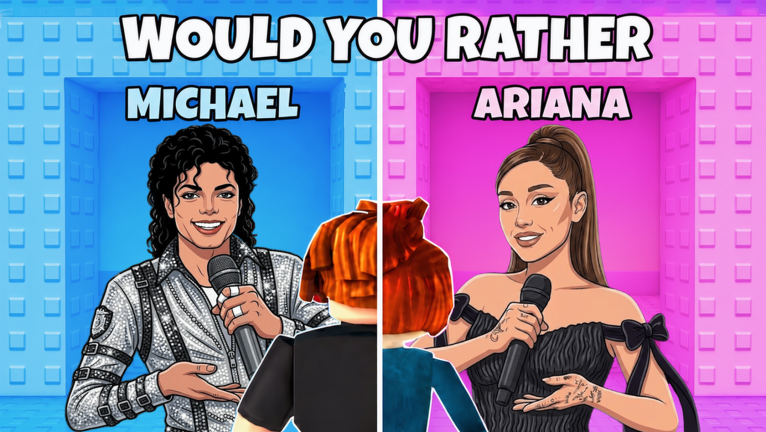
This controls guide for Would You Rather: Singers Tower keeps the focus on what actually matters: arriving at each door pair calmly enough to read labels. The experience is a Roblox Tower Obby hybrid, so inputs follow familiar Roblox patterns with music-stage pacing.
Desktop / keyboard defaults
| Action | Typical input |
|---|---|
| Move | WASD |
| Jump | Space |
| Camera | Mouse move / right-click drag (per Roblox settings) |
| Interact / pass through door | Walk into the door volume |
| Escape menus | Esc |
Roblox lets players rebind some keys in settings. If your jump feels wrong, check the Roblox settings menu before blaming the experience.
Mobile controls
- Virtual joystick for movement
- Jump button on the right
- Touch-drag to orbit the camera
- Pinch zoom depending on device UI
On mobile, camera first, decision second. Many “bad doors” are actually unread doors because the label was off-screen.
Door selection technique
- Stop on the platform.
- Pan camera until both labels are readable.
- Decide using Taste or Chaos rules from Avoid Trap Doors.
- Commit in a straight walk — hesitate in front of both doors if friends need a call-out.
Performance tips that feel like controls
- Lower graphics if the stage effects hitch during camera pans.
- Headphones help when voice chat or music cues matter in friend groups.
- Lock landscape mode on phones for wider label visibility.
Accessibility habits
- Increase UI scale in Roblox settings if text is small.
- Play with a friend who can read labels aloud (Multiplayer Tips.
- Use shorter sessions if motion effects fatigue you.
Controls vs progression systems
Singers Tower does not gate the climb behind complex skill trees. You will not find a deep ability bar. That is why players over-invest energy into codes and scripts. Remember: Codes Status is empty, and scripts are optional risk (How to Execute Scripts).
Practice course
Spend one run touching nothing but movement — ignore optimizing taste. Spend the next run motionless at each platform until both labels are clear. Combine both skills, then advance with Reach the Top.
Related guides
Mixed input parties
When one friend is on keyboard and another is on a phone, decision speed diverges. Desktop players can snap-read labels faster; mobile players need extra seconds to pan. Norm: nobody enters a door until the slowest reader says “ready.” That single etiquette rule prevents accidental locks into traps caused by input lag rather than bad taste.
Controller and accessibility detours
Bluetooth controllers on Roblox can change muscle memory for jump timing between doors. If your party mixes controllers and touch screens, do a thirty-second calibration climb where nobody optimizes taste — only movement comfort. Then start the “real” themed run.
For low vision, increase Roblox UI scale and stand farther from door signs so text perspective flattens. For motion sensitivity, reduce camera speed in settings. Controls comfort is part of trap avoidance because misreads often start as physical discomfort, not bad taste.
Controls closing note
If labels are unreadable, it is a camera problem first and a taste problem second. Fix the pan, then choose the door.
Frequently Asked Questions
Quick answers to the most common questions.
What are the default PC controls?
WASD to move, Space to jump, mouse to look, walk into a door to choose it.
Why can’t I read door labels on mobile?
Pan and zoom the camera before choosing; do not approach until both options are visible.
Can I rebind keys?
Use Roblox settings for supported rebinds.
Do controls differ in private servers?
Inputs stay the same; only the social context changes.